Chrome Extension

Post to All Your Facebook Groups – Automatically

Stop wasting hours copy-pasting the same content. One click reaches every group you manage – with photos, videos, and smart anti-detection built in to keep your account safe.

★★★★★ 5/5 on Chrome Web Store • No credit card required

Reclaim hours every week

The same posting job that takes hours by hand takes minutes with SimplePoster.

Manual posting
2 hrs

To post the same message to 50 Facebook groups one by one.

vs
SimplePoster
1 min

Write once, click Post, and the extension handles every group.

That saves over 10 hours every month — more than 250 times the cost of the monthly plan.

See exactly what you get

Every feature in a clean, intuitive popup - built for speed, safety, and scale.

SimplePoster - Facebook Group Auto Poster & Scheduler
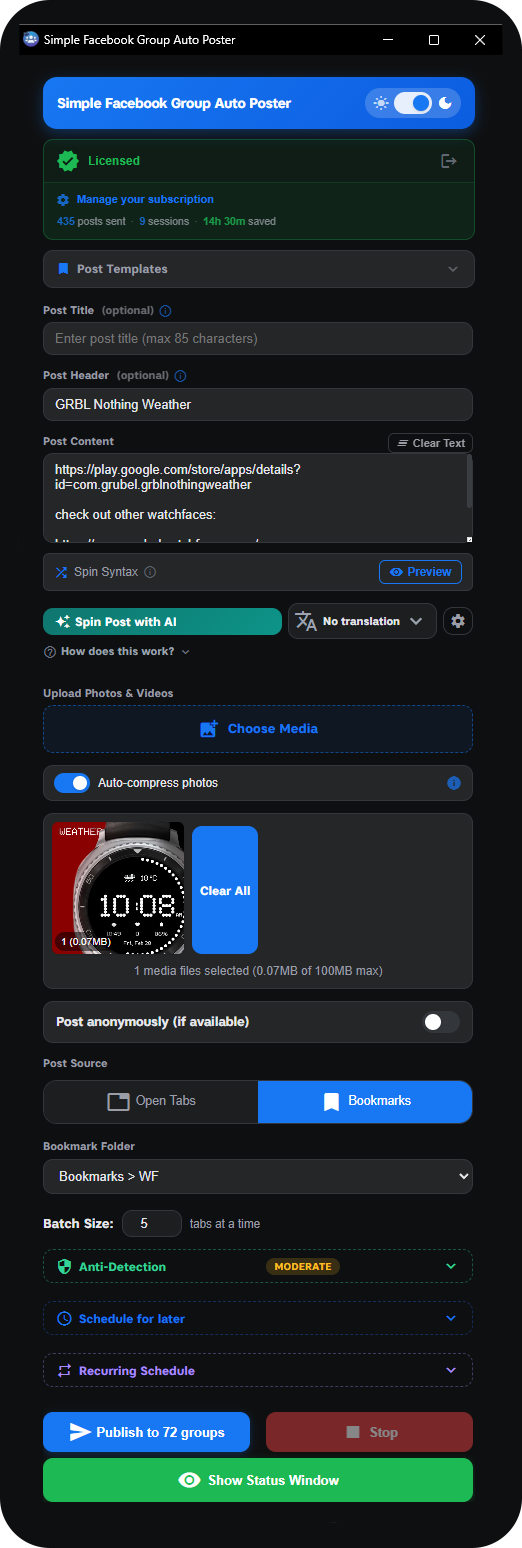
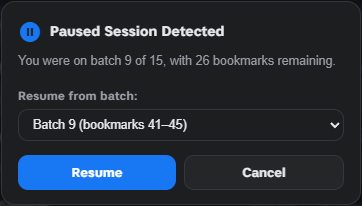
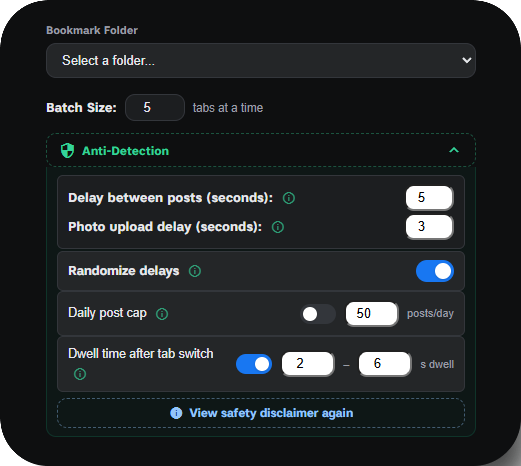
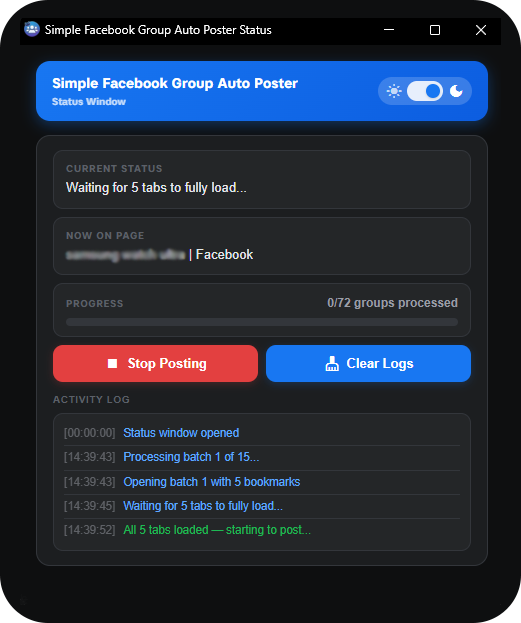
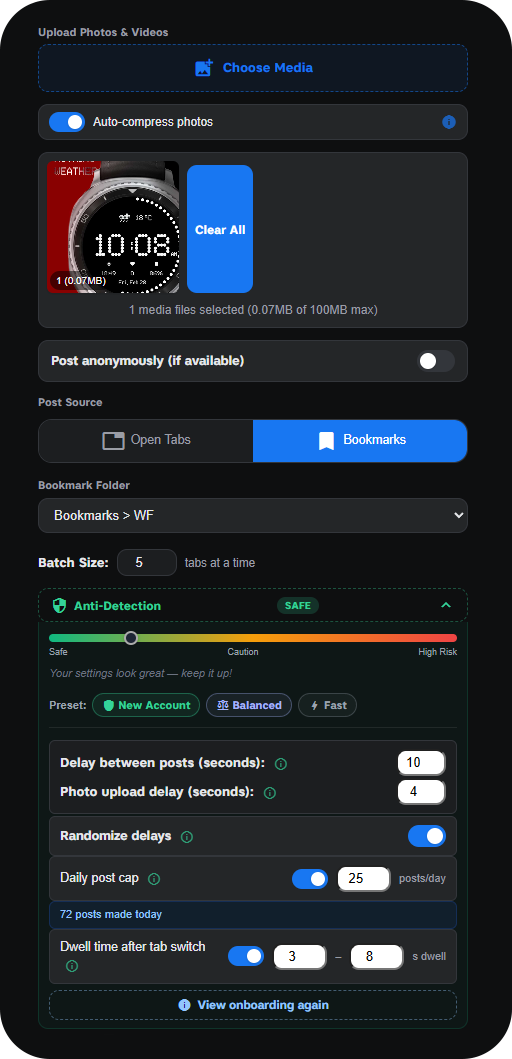
Main extension interface showing all posting controls Live status window tracking posting progress across all groups Media upload panel with Anti-detection settings, Risk Meter and one-click presets Post templates panel with save, edit and load functionality Scheduling panel with recurring schedule management and live countdown AI post variations panel with translation support Group posting history with search, CSV export and performance analytics Resume batch panel showing saved campaign position and resume options

Everything you need to post smarter

Built for Facebook group admins, marketers, and community managers who post at scale.

Reach Every Group in One Click

Post to unlimited Facebook groups simultaneously from a single composed message. Launch from your open browser tabs, or point the extension at a Chrome bookmark folder containing hundreds of group URLs. One click starts the entire campaign.

Stay Under the Radar With Photos & Videos

Attach photos and videos to every post with optional auto-compression. Fine-tune human-like delays between groups, random ±40% jitter, dwell-time simulation, and a hard daily post cap. Three one-click presets - New Account, Balanced, or Fast - auto-configure everything, and the live Risk Meter shows your safety level in real time.

Set Your Schedule Once, Post Forever

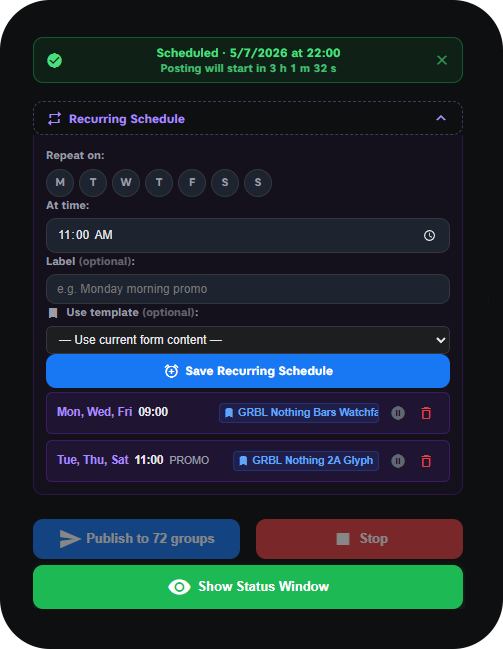
Set up to 5 weekly repeating schedules - e.g. every Monday & Thursday at 9 am - that run fully automatically in the background. Set once, post forever.

Write Once, Post Unique Content Everywhere

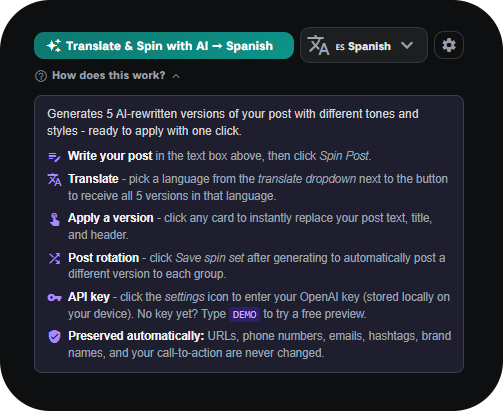
Write once, and your own OpenAI integration generates 5 unique rewrites with different tones and styles instantly. Translate all versions to any language in one click. Each group sees fresh, human-like content.

Never Retype Your Best Posts

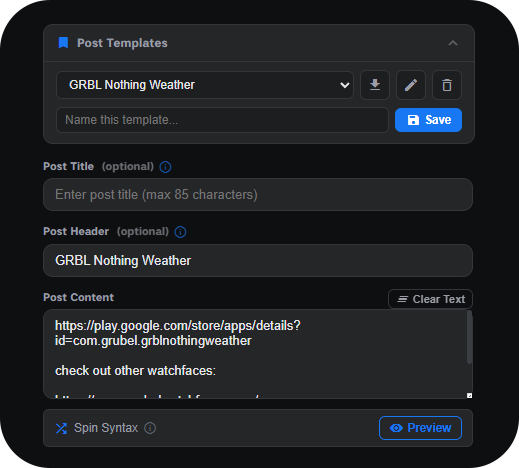
Name and save your best-performing content - title, header, and body all included. Load it back instantly, edit and update on the fly. Never retype the same post again.

Pick Up Exactly Where You Left Off

Mid-campaign interruption? Your exact position is saved down to the individual group. Resume from any batch you choose and never repost to groups already covered.

Post From Tabs, Bookmarks, or On Autopilot

Tab Mode, Bookmark Mode, Scheduled, and Recurring - choose how the extension finds and posts to your groups. Switch between manual campaigns and hands-free automation effortlessly.

Pick the Perfect Time, Then Let It Run

Pick any date and time - a live countdown shows exactly when posting starts. Green inline confirmation, date picker badge, and cancel-from-anywhere keep you in full control.

Attach Photos & Videos to Every Group Post

Batch upload multiple photos and videos with optional auto-compression. Multi-language photo button detection works across international Facebook UIs. Full support for text, links, images, and bold post headers in every group post.

See Every Result As It Happens

After every session, a visual donut chart shows your success rate with a full breakdown of successful vs. failed posts. The live dashboard tracks the current group, progress bar, full activity log, and total time saved in real time.

Keep Every Post Looking Fresh

Use {option1|option2} spin syntax to randomize wording across groups, with a live preview before publishing. Or let AI generate 5 fully rewritten versions automatically.

Track, Search & Export Every Post

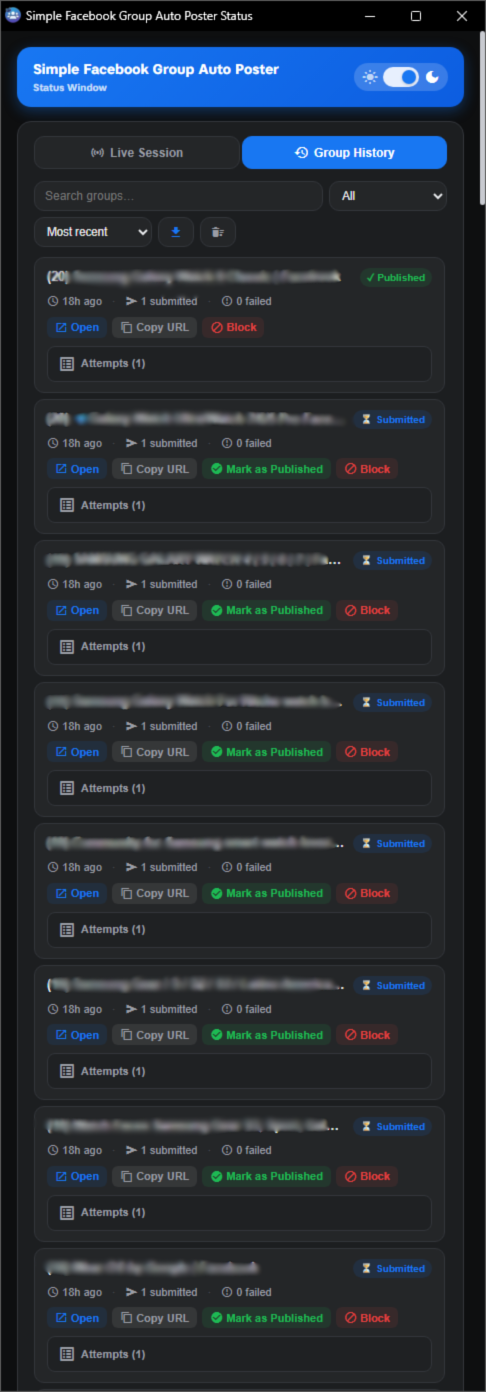
Track every post with timestamps and group details. Search past posts by keyword, date, or group - and export your full history to CSV for record-keeping and campaign analysis.

Up and running in 3 steps

No complicated setup. No learning curve. Just install, write, and post.

Install the Extension

Add SimplePoster - Facebook Group Auto Poster & Scheduler from the Chrome Web Store in seconds. It's free to try for 7 days.
Open Your Groups & Write Your Post

Open the Facebook groups you want to post to as browser tabs (or load saved bookmarks), then type your message.

Click Post – Done

Hit the Post button and watch the extension work through every group automatically. You're free to do other things.

Simple, transparent pricing

Start with a full-featured 7-day free trial. No credit card required.

  1. 1

    Open the extension in your Chrome toolbar

    Click the SimplePoster - Facebook Group Auto Poster & Scheduler icon - pin it first if it's not visible.
  2. 2

    Click the Free Trial button

    Press Free Trial button inside the extension.

or start a paid plan
Monthly
$ 3.99 /month
  • ✓ Bulk post to unlimited groups
  • ✓ AI variations, templates & scheduling
  • ✓ Anti-detection suite & risk meter
  • ✓ Full posting history & CSV export
✓ 7-day free trial  ·  cancel before it ends, pay nothing
Start My Free Trial

Frequently asked questions

Yes. SimplePoster does not use bots, scrapers, or unofficial APIs. It performs the exact same clicks and typing you would do manually in your own browser. The built-in Anti-Detection Suite adds human-like delays between posts, random ±40% jitter so timing is never mechanical, dwell-time simulation that "reads" each page before posting, and a hard daily post cap. Three one-click presets (New Account, Balanced, Fast) configure safe settings automatically, and the live Risk Meter shows your safety level in real time.
The extension works with any public or private Facebook group you are a member of. It posts through the standard Facebook group interface, so it behaves just like a regular post from your browser – just faster.
No credit card is required to start the 7-day free trial. You get full access to every feature. When the trial ends, simply choose a plan to continue - monthly ($3.99/mo) or yearly ($39.99/yr) via Stripe. Your license persists even if you reinstall Chrome.
Write your post, then click "Spin Post with AI" to instantly generate 5 unique rewrites with different tones and styles. Links, hashtags, phone numbers, brand names, and call-to-actions are preserved automatically. Click any variation to apply it, save the spin set to rotate versions across groups, or translate all 5 into any language with one click. It uses your own OpenAI API key (stored locally on your device). Type "DEMO" to try it without a key.
You can set up to 5 weekly recurring schedules - for example, every Monday and Thursday at 9 am. Each schedule remembers your post content, timing, source, and posting settings. Once saved, it runs fully automatically in the background with zero clicks needed. Each schedule also shows which saved template it will use, so there's no guessing what gets posted.
Each license covers 1 device at a time. To switch devices, log out on the current device first, then log in on the new device using your license key.
You can cancel anytime from the extension's settings panel or directly through the Stripe customer portal link in your confirmation email. There are no cancellation fees and you keep access until the end of the billing period you've already paid for.
Yes — the extension runs inside your Chrome browser, so the browser needs to be open during an active posting campaign. However, you don't need to watch it or interact with it. The extension posts autonomously in the background while you do other work, switch tabs, or even minimise the window. For recurring scheduled posts, the browser just needs to be open at the scheduled time.

Ready to stop doing it the slow way?

7-day free trial. No credit card. Takes 30 seconds to install.

Start Posting Free for 7 Days